
Summary
A dependable Bulk SMS launch follows a controlled sequence: define the use case, complete registration and template setup, prepare the eligible audience, test the actual rendered message and then send. Check reports after launch rather than assuming acceptance means delivery. Investigate failures before resending, and carry the results into the next campaign's audience, content and scheduling decisions.
- Complete recipient, sender, content and link checks before the first send.
- Run a small controlled test before a larger campaign.
- Investigate status codes and duplicates before retrying messages.
The AI platform opens separately. Its account and access requirements apply.
Copy this prompt manually:
Your prepared article prompt will appear here.

A campaign should be built only after the sender, audience, category and template are verified.
To send Bulk SMS in India, a business typically needs to prepare the applicable sender and template registrations, choose a messaging provider, configure the campaign or API workflow, test the setup, and then launch messages to eligible recipients.
Key takeaways
- Start with compliance and sender setup before building the campaign.
- Use the correct message category for the real purpose of the communication.
- Keep recipient data clean and respect applicable consent and preference requirements.
- Test a small batch before sending at scale.
- Review delivery reports after launch.
Step 1: Define the messaging use case
Decide whether the message is promotional, service-related, transactional, authentication-based or another permitted category. The purpose determines the workflow, recipient eligibility and configuration you may need.
Step 2: Complete the required sender and template setup
For Indian commercial messaging, businesses can need registered entity information, sender identities or headers, and approved content templates. Verify the current requirements for your traffic before proceeding.
Step 3: Choose a Bulk SMS provider
Compare providers based on delivery reporting, compliance support, APIs, scalability, support and total cost. Avoid selecting solely on the lowest advertised message rate.
Step 4: Prepare your recipient list
Clean the list, remove invalid or duplicate numbers where possible, and ensure recipients are eligible for the type of communication you plan to send.
Step 5: Create or select the approved message
The live message should match the approved template where registration is required. Variables should be used only in the permitted parts of the template.
Step 6: Choose dashboard or API
Use a dashboard for scheduled or manually managed campaigns. Use an API when messages should be triggered automatically by events in a website, CRM, ERP, ecommerce platform or application.
Step 7: Test the workflow
Before sending a large campaign, test a small set of numbers. Check sender identity, message content, personalization, links, timing and delivery reporting.
Step 8: Launch the campaign
Send immediately or schedule the campaign based on the business use case and applicable communication rules. Avoid unnecessary bursts if your operational setup is not sized for them.
Step 9: Review delivery reports
Track submitted, delivered, failed and other available statuses. Investigate patterns rather than treating every failed message as the same problem.
Step 10: Improve the next campaign
Use delivery data, customer response, opt-outs, link performance where applicable and operational feedback to improve audience quality, timing and message design.
Dashboard vs API: which is better?
Neither is universally better. A dashboard is convenient for campaign teams, while APIs are ideal for automated and event-driven communication. Many businesses use both.
How ProAds supports Bulk SMS sending
ProAds supports campaign-based and API-triggered SMS with delivery reporting and multichannel workflows alongside WhatsApp, RCS and Voice.
A complete pre-send checklist
Before launch, verify the recipient source and eligibility, message category, registered header and template, personalization variables, links, country codes, duplicate numbers, schedule, expected segmentation and delivery-report configuration.
Run a controlled test batch first. After launch, distinguish rejected requests from later delivery failures and investigate provider-specific status codes before resending messages.
Practical example
Map the business event, eligible recipient, approved content, sending route and delivery-report state before scaling. Keep this workflow documented so marketing, compliance and engineering teams can review it.
Common mistakes
- Confusing API acceptance with handset delivery.
- Reusing a template without verifying the intended message category.
- Automatically retrying after timeouts without duplicate prevention.
- Reporting submitted volume as a proven customer outcome.
What to check before rollout
- Confirm the correct message category and recipient eligibility.
- Validate the sender and template configuration.
- Test the complete message with real variable values.
- Confirm how delivery states are recorded.
- Review the results before expanding volume.
Official reference: Verify current Indian business SMS obligations using TRAI advice to senders and the TCCCPR framework. Provider-specific procedures can change.
Quick reference comparison
| Element | What it means | Practical action |
|---|---|---|
| Before launch | Registration, audience and template | Test small batch |
| During launch | Submission and monitoring | Watch errors and queues |
| After launch | Delivery reports and business results | Investigate failures |
Use this table as a planning aid. Actual requirements depend on the use case, provider and applicable rules.
Frequently asked questions
Can I send Bulk SMS without DLT setup?
Do not assume that commercial SMS can be sent without the applicable registrations. Verify the current requirements for your message category, sender and route before sending.
Can I upload a CSV contact list?
Bulk messaging platforms commonly support contact imports or campaign lists. The exact workflow depends on the platform.
Can Bulk SMS be scheduled?
Yes, when the messaging platform supports scheduled campaigns. Timing should still comply with applicable rules and customer expectations.
Related guides
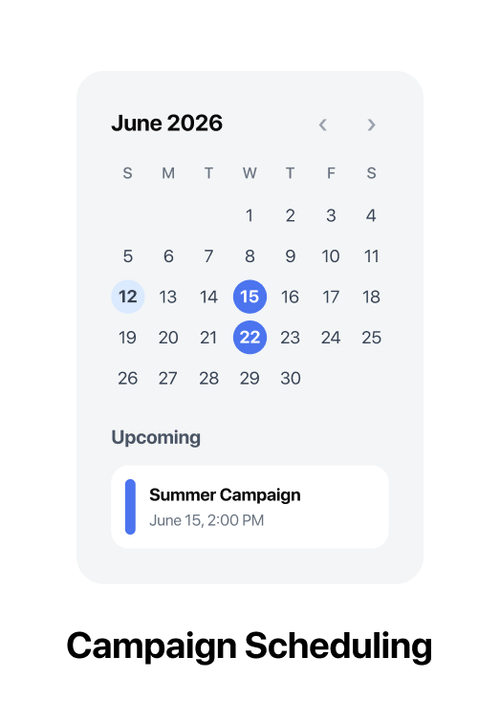
Test first, schedule carefully and review delivery outcomes before repeating or scaling the campaign.
Need a Bulk SMS platform?
Run promotional, transactional and OTP SMS workflows with APIs and delivery reporting from ProAds.
Explore ProAds Bulk SMS