
Summary
An SMS API connects an application event to a message request. A reliable integration stores both its own business-event reference and the provider's message reference, then processes later delivery updates separately. Keep credentials on a trusted backend and define what happens after timeouts, rate limits and repeated callbacks. The example workflow in this guide is architectural guidance, not undocumented ProAds API syntax.
- Keep messaging credentials out of browser and mobile client code.
- Treat acknowledgement and delivery reports as separate stages.
- Design duplicate prevention and retry handling before scaling.
The AI platform opens separately. Its account and access requirements apply.
Copy this prompt manually:
Your prepared article prompt will appear here.
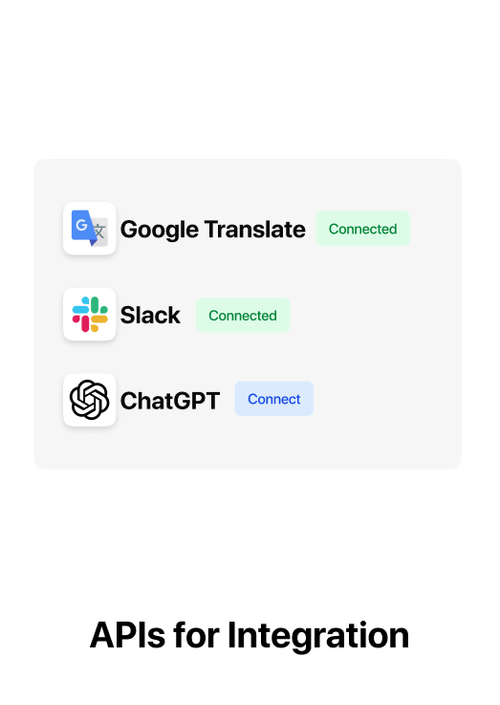
An SMS API allows business events in an application to trigger messages automatically.
An SMS API lets software send and manage text messages programmatically. Instead of manually launching every message from a dashboard, a website, CRM, ERP, mobile app or backend service can trigger SMS when a business event occurs.
Key takeaways
- SMS APIs automate message sending from software.
- Common use cases include OTPs, order alerts, payment updates and reminders.
- Delivery-report webhooks are important for tracking outcomes.
- Production integrations should handle authentication, retries, rate limits and idempotency carefully.
How does an SMS API work?
Your application sends a request containing the destination number, message or approved template details and other required parameters. The messaging platform validates the request, submits it to the appropriate route and returns an acknowledgement. Final delivery status may arrive later through a webhook or reporting API.
Typical SMS API flow
- A customer action occurs in your application.
- Your backend calls the SMS API.
- The platform validates the request.
- The message is submitted for delivery.
- A delivery report is returned asynchronously.
- Your system records the outcome.
Common SMS API use cases
- OTP and login verification.
- Order confirmations.
- Payment alerts.
- Appointment reminders.
- Delivery updates.
- CRM-triggered follow-ups.
Authentication and security
Production integrations should keep API credentials on the server side, use secure transport, restrict access where possible and rotate credentials according to your security policy. Avoid exposing messaging credentials directly in browser or mobile client code.
Delivery-report webhooks
An API acknowledgement usually means the request was accepted for processing, not necessarily that the handset received the SMS. Delivery-report webhooks allow your application to receive later status changes and update the customer or workflow accordingly.
Retries and idempotency
Automatic retries can improve resilience, but uncontrolled retries can create duplicate messages. For critical flows, use a stable business identifier or idempotency strategy so the same event is not sent repeatedly by mistake.
Rate limits and throughput
Before integrating, confirm the provider's throughput model, limits and queueing behavior. A marketing campaign and an OTP flow have very different latency and traffic requirements.
SMS API vs SMS gateway
An SMS gateway is the broader infrastructure or service that routes messages. An API is an interface your software uses to access messaging functionality. In practice, businesses often access an SMS gateway through a REST or HTTP API.
India-specific considerations
Business SMS in India can be subject to sender, template, consent and category requirements. Your integration should pass the identifiers required by the configured route and use approved content where applicable.
How ProAds supports SMS API workflows
ProAds supports API-triggered SMS together with campaign sending and delivery reporting. This allows developers and operations teams to manage automated and manual messaging from the same broader communication platform.
Build a reliable SMS integration
When a customer action occurs, the application creates a message record with its own business event ID. The backend sends a request and stores the provider message ID. Later delivery reports update the record. This separates the business reason for sending from the telecom delivery outcome.
A timeout may happen after a provider accepts the request. Blindly retrying can produce duplicates. Use idempotency where supported, protect credentials on the backend and authenticate delivery webhooks when possible.
Practical example
Map the business event, eligible recipient, approved content, sending route and delivery-report state before scaling. Keep this workflow documented so marketing, compliance and engineering teams can review it.
Common mistakes
- Confusing API acceptance with handset delivery.
- Reusing a template without verifying the intended message category.
- Automatically retrying after timeouts without duplicate prevention.
- Reporting submitted volume as a proven customer outcome.
What to check before rollout
- Confirm the correct message category and recipient eligibility.
- Validate the sender and template configuration.
- Test the complete message with real variable values.
- Confirm how delivery states are recorded.
- Review the results before expanding volume.
Official reference: Verify current Indian business SMS obligations using TRAI advice to senders and the TCCCPR framework. Provider-specific procedures can change.
Quick reference comparison
| Element | What it means | Practical action |
|---|---|---|
| Request acknowledgement | Provider accepted request | Store message ID |
| Delivery report | Later route/network outcome | Update state asynchronously |
| Application verification | Business outcome completed | Measure separately |
Use this table as a planning aid. Actual requirements depend on the use case, provider and applicable rules.
Frequently asked questions
Can an SMS API send OTPs?
Yes. OTP is one of the most common API-triggered SMS use cases, subject to the configured route, approved content and compliance requirements.
Do I need a webhook?
You can send messages without a webhook, but webhooks are useful when your application needs asynchronous delivery outcomes.
Should API credentials be used in frontend code?
No. Keep sensitive messaging credentials on a trusted backend rather than exposing them in browser or mobile client code.
Related guides
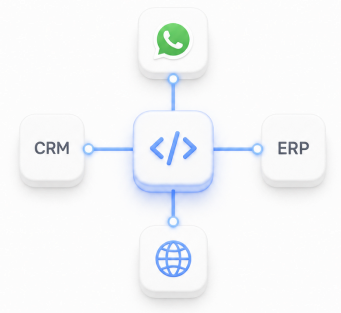
Reliable integrations connect the application, messaging platform, delivery reports and internal records.
Need a Bulk SMS platform?
Run promotional, transactional and OTP SMS workflows with APIs and delivery reporting from ProAds.
Explore ProAds Bulk SMS